Add section
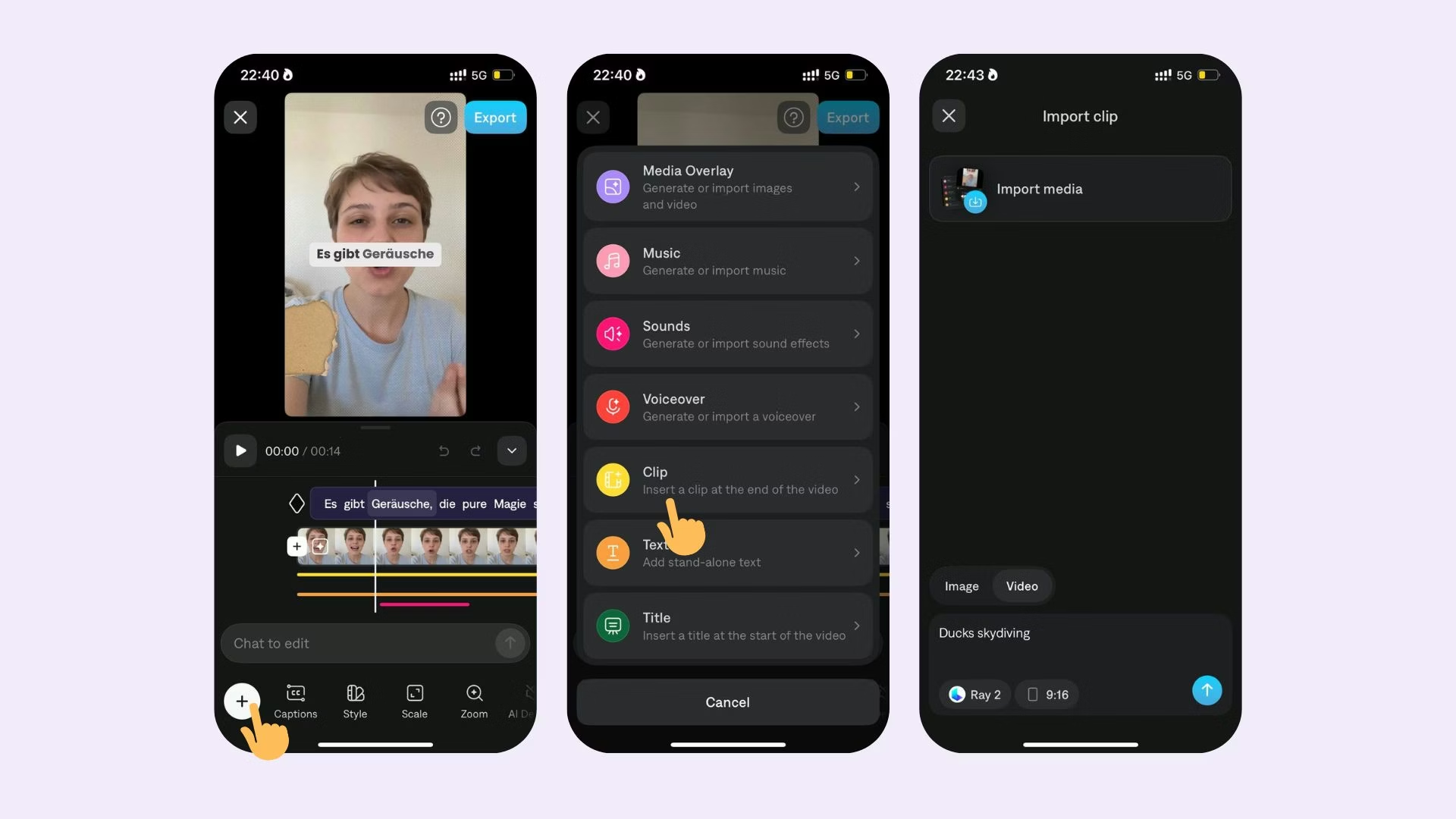
To add a section anywhere in your project:
- Tap on the timeline and adjust the timeline to where you’d like to insert a section
- Select Split
- Tap the icon between your two split sections
- Tap Insert
- Select your section from your photo album
To add a section to the beginning or end of your video:
- Scroll to the beginning of end of your timeline
- Tap + button
After adding a section, captions will not be added automatically. Learn how to add them manually.
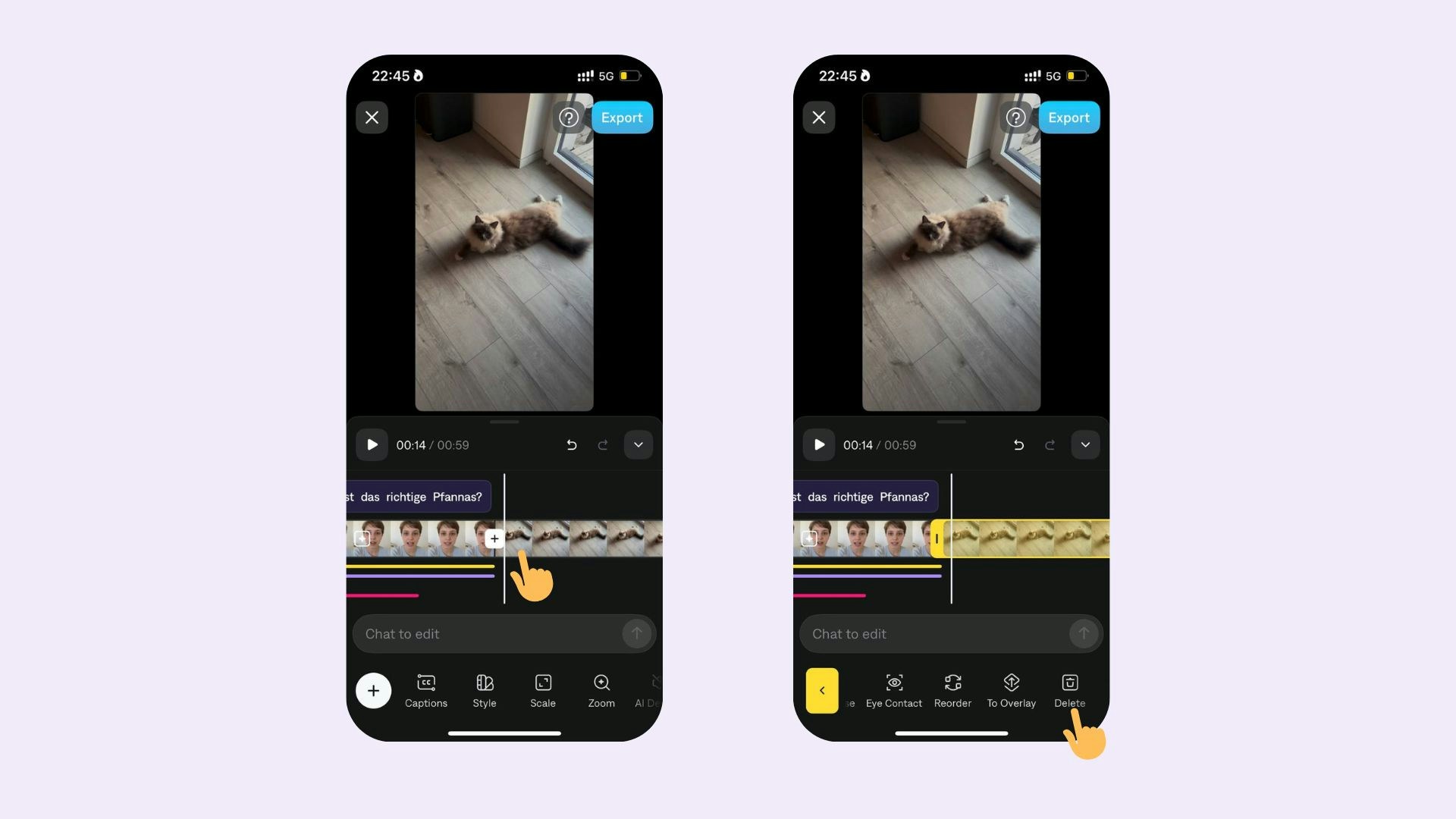
Delete section
To delete a section:
- Tap anywhere on the timeline
- Tap Delete.
To delete only a portion of your video:
- Split the section at the beginning and end of the portion you’d like to delete
- Tap on the middle section
- Tap Delete.
Last modified on August 17, 2026