> ## Documentation Index
> Fetch the complete documentation index at: https://captions.ai/llms.txt
> Use this file to discover all available pages before exploring further.
# Split & Merge Sections
> Split video sections at any point on the Captions timeline or merge two sections back together at a transition point to restructure your video project.
## Split section
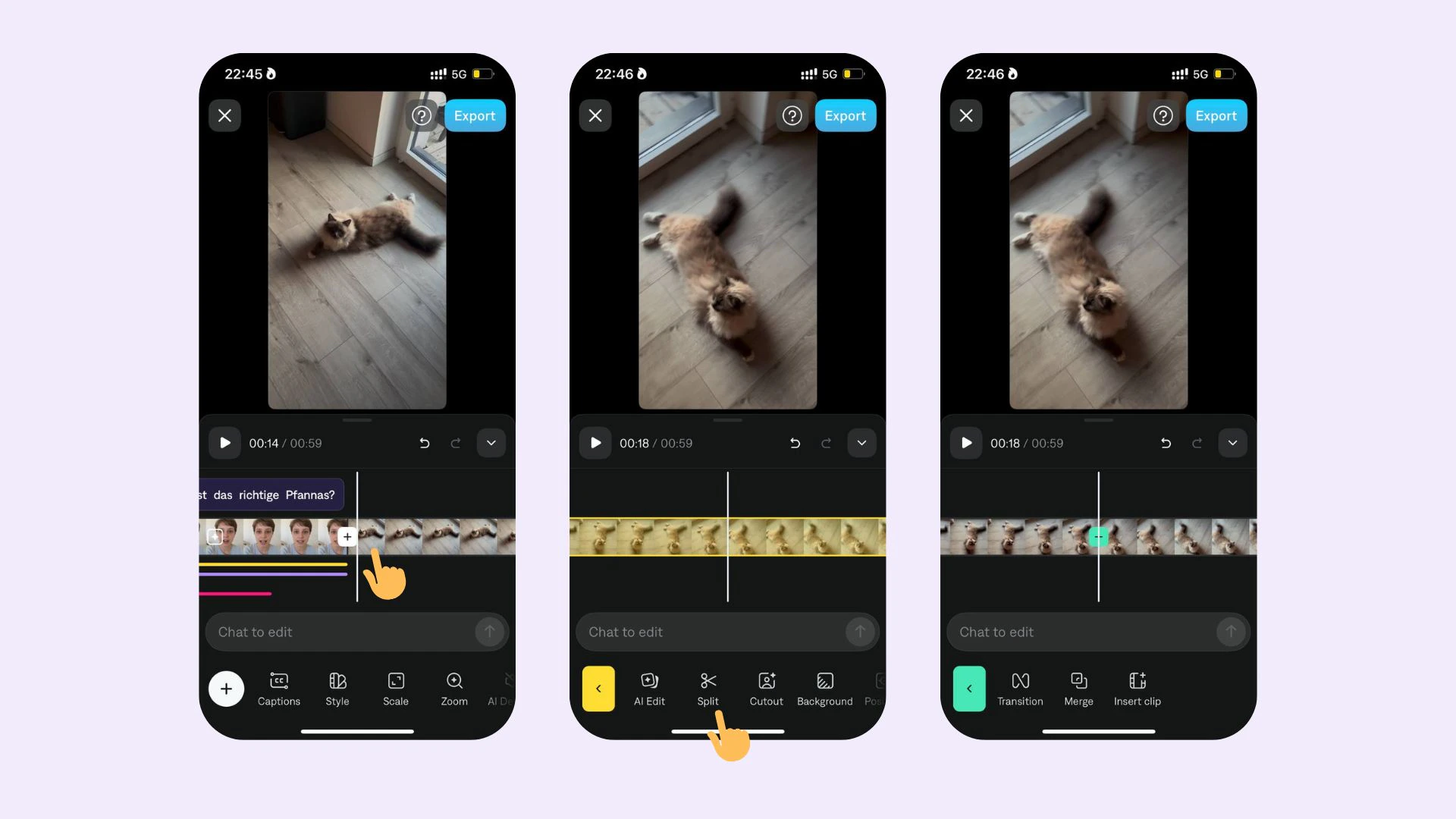 To split a section:
1. Tap or click on the timeline
2. Scroll to the exact location where you'd like to split your section
3. Select **Split**
## Merge sections
To split a section:
1. Tap or click on the timeline
2. Scroll to the exact location where you'd like to split your section
3. Select **Split**
## Merge sections
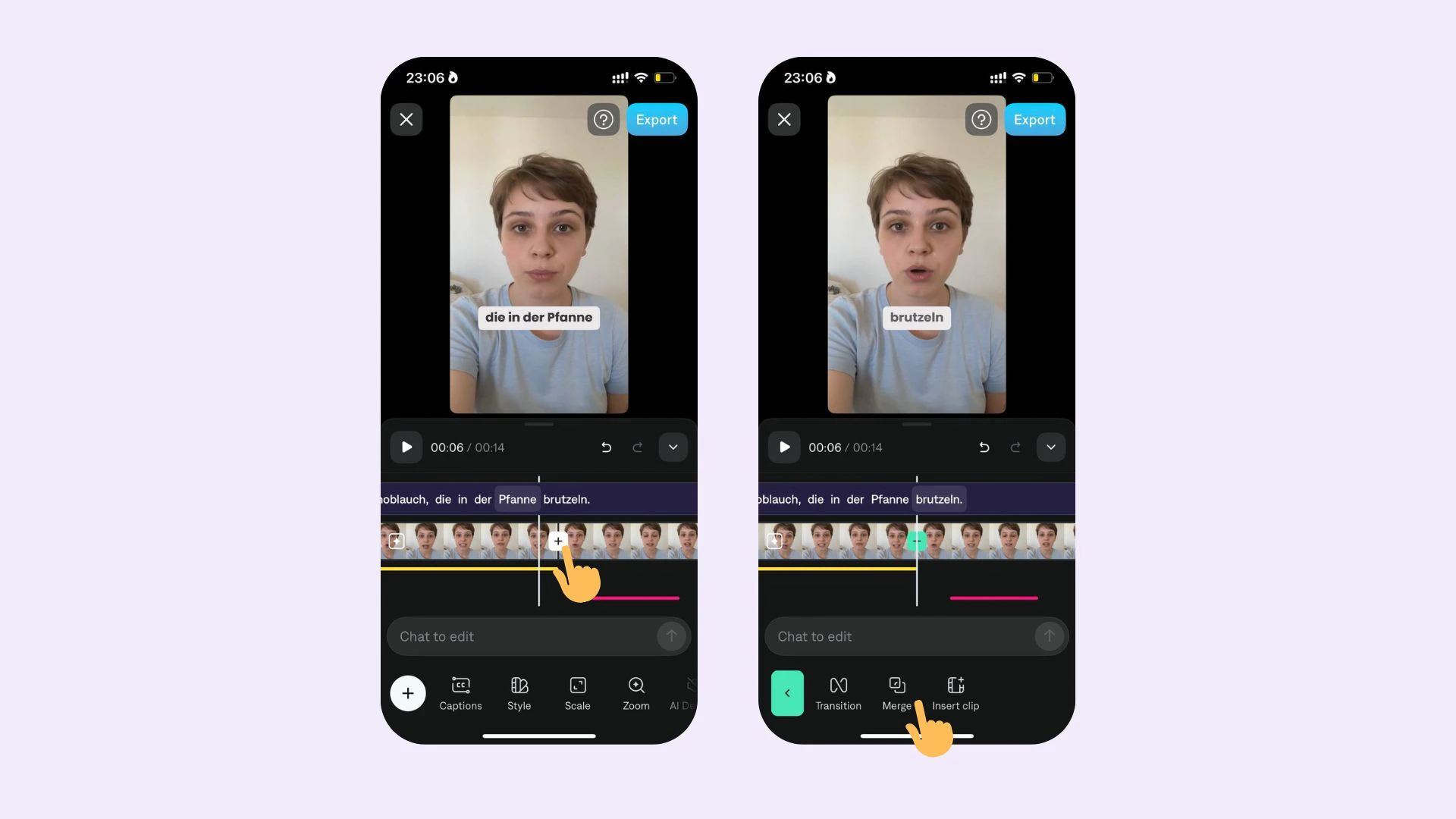 To merge two sections:
1. Tap on the timeline
2. Tap on the transition point
3. Tap **Merge**
To merge two sections:
1. Tap on the timeline
2. Tap on the transition point
3. Tap **Merge**