> ## Documentation Index
> Fetch the complete documentation index at: https://captions.ai/llms.txt
> Use this file to discover all available pages before exploring further.
# Chat-Based Editing
> Edit Captions projects with natural-language prompts. Attach images or videos, chain requests, and iterate with follow-ups to change music, fonts, and more.
## Overview
Chat-based editing lets you make edits to your project by simply describing what you want. For example, the prompt "Add chill background music" will automatically add a chill background track to your project.
## How it works
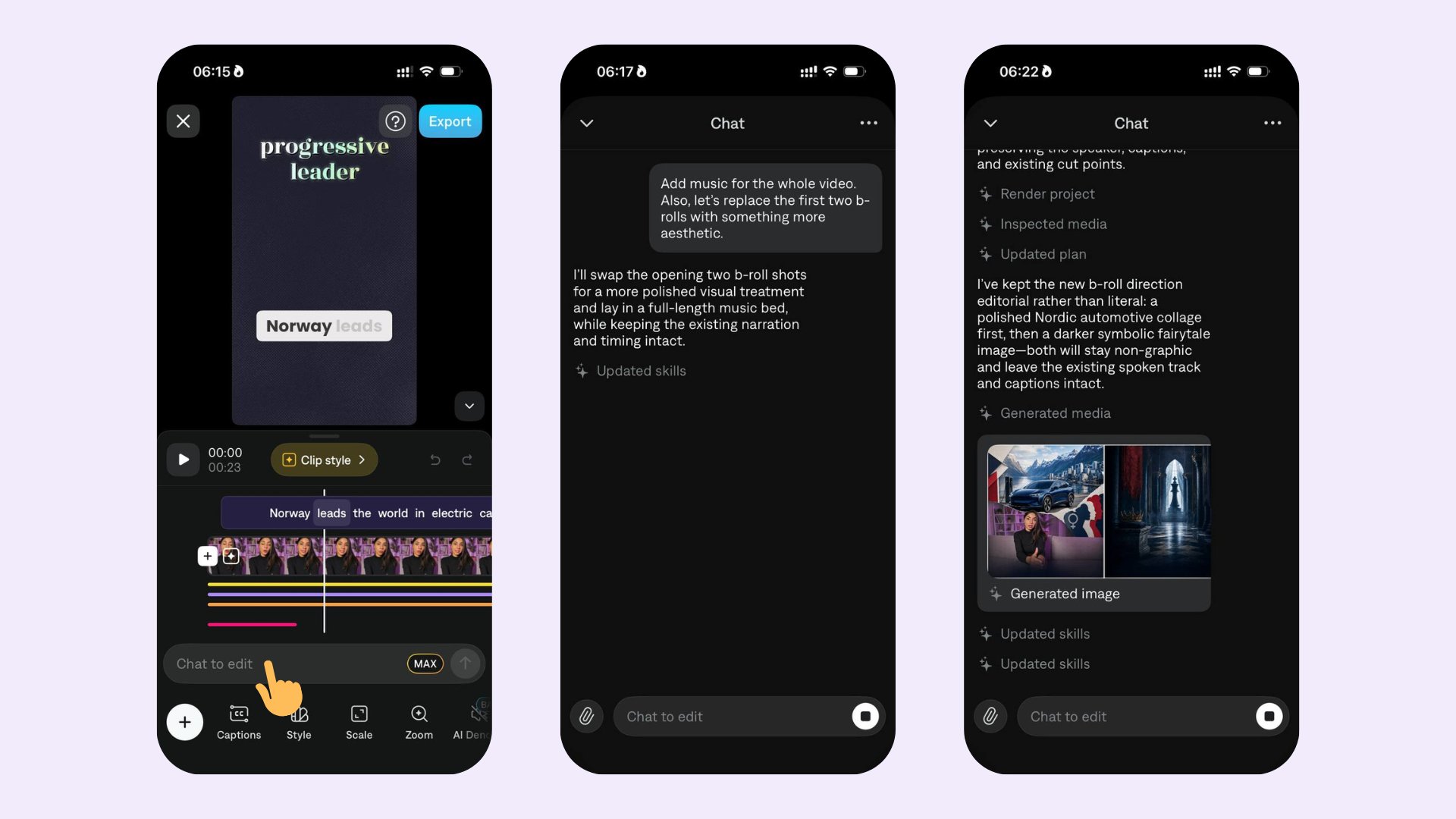 After opening a project, tap **Chat to edit** to open the chat.
Describe the changes you want. A prompt can be a sequence of actions — for example, replacing images and adding music. You can also attach additional media assets by clicking the **paperclip** icon next to the chat prompt.
After you send the prompt, Captions starts planning the edits and shares updates as it updates the project.
## Example prompts
* [Add chill background music](/help/docs/audio/music)
* Remove/replace background with the X picture
* Change the font to comic sans
* [Generate a b-roll about duck soaps and add it to the first shot](/help/docs/visual/media)
* [Edit captions](/help/docs/captions/add-captions)
## Attach media to your prompt
After opening a project, tap **Chat to edit** to open the chat.
Describe the changes you want. A prompt can be a sequence of actions — for example, replacing images and adding music. You can also attach additional media assets by clicking the **paperclip** icon next to the chat prompt.
After you send the prompt, Captions starts planning the edits and shares updates as it updates the project.
## Example prompts
* [Add chill background music](/help/docs/audio/music)
* Remove/replace background with the X picture
* Change the font to comic sans
* [Generate a b-roll about duck soaps and add it to the first shot](/help/docs/visual/media)
* [Edit captions](/help/docs/captions/add-captions)
## Attach media to your prompt
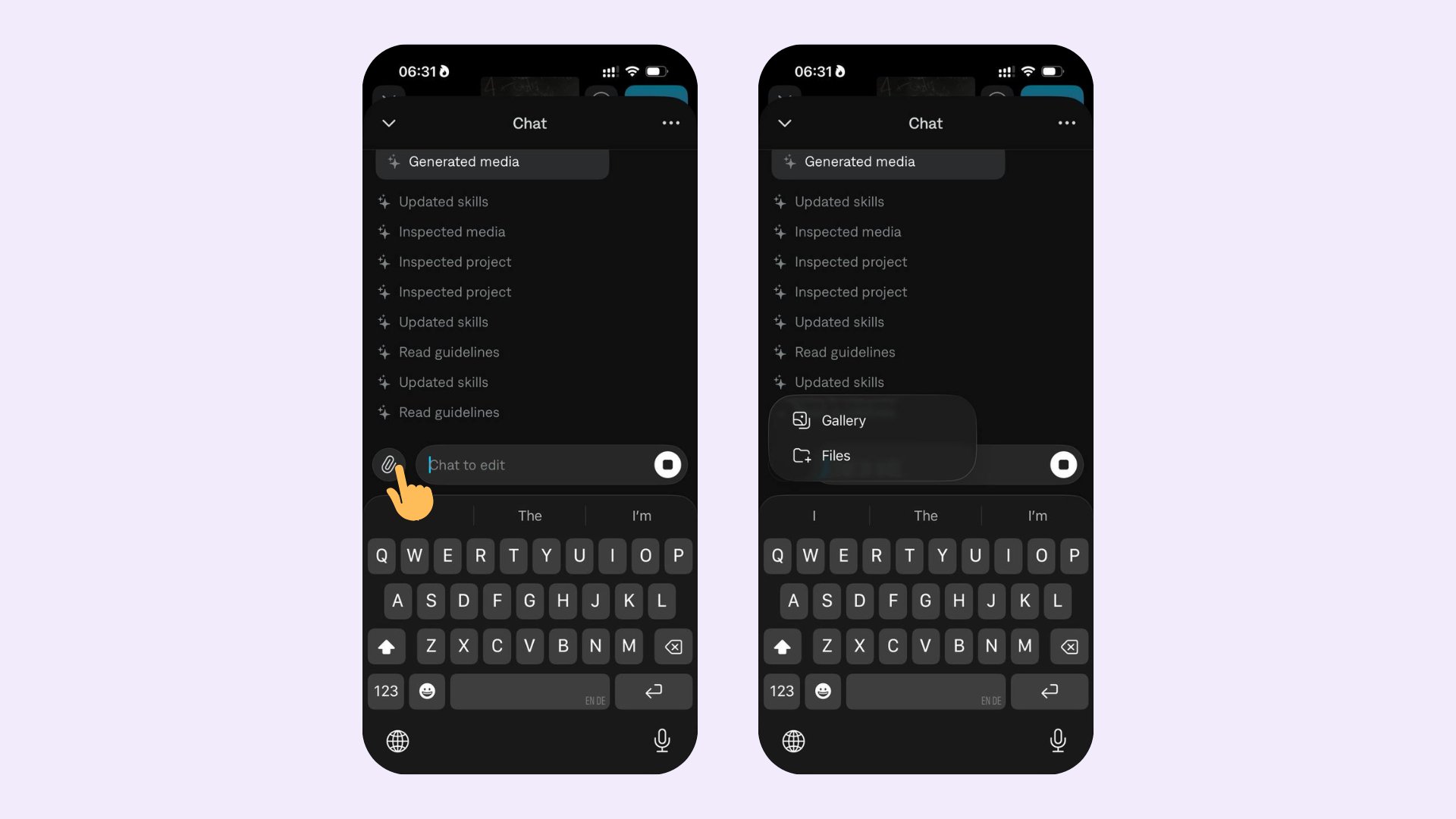 * Attach images (e.g., background replacements).
* Attach videos (e.g., b-roll to insert).
* Combine attachments with text in a single prompt to give the editor more context.
Prompts are flexible. You can chain multiple requests in one message, or iterate with follow-ups like "make it softer" or "use a different font".
* Attach images (e.g., background replacements).
* Attach videos (e.g., b-roll to insert).
* Combine attachments with text in a single prompt to give the editor more context.
Prompts are flexible. You can chain multiple requests in one message, or iterate with follow-ups like "make it softer" or "use a different font".